
Hexo 对Butterfly主题的自定义修改
Hexo 对Butterfly主题的自定义修改
本站目前使用的是 Butterfly 5.7.0 ,然后本文是记录我自己做了哪些代码层面的修改。
我注释掉冲突的原文本,然后加上自己加入的文本,下面的代码就都这么记录了。
本文不会与本站最新的方案修改方案保持一致,就是说很小的改动不一定会写在这,请各位自己摸索
标签页设计修改
效果:
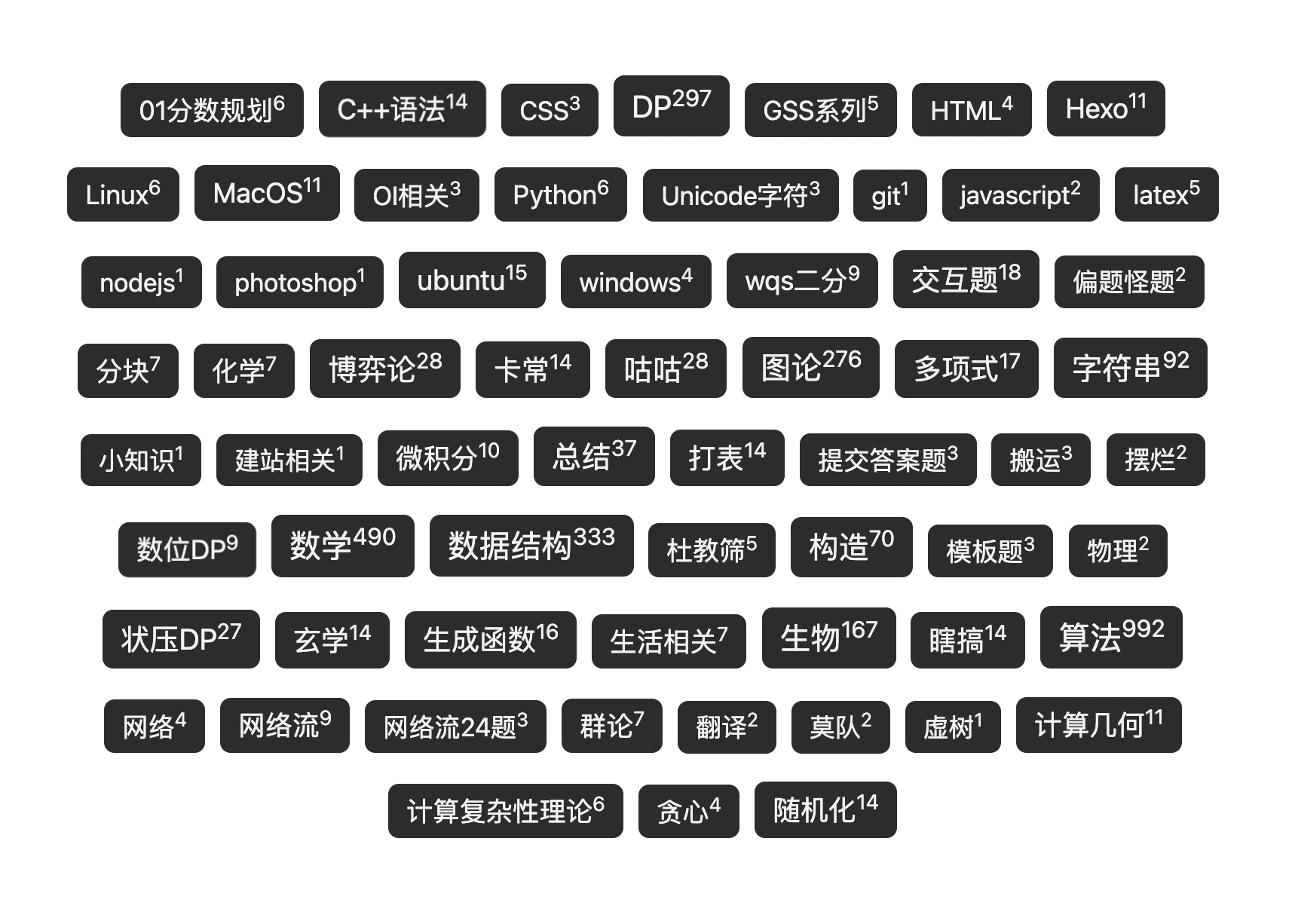
如果你不想要这种黑白效果,下面的代码里改颜色的可以不用改,具体自己看吧。
只修改了 /themes/butterfly/scripts/helpers/page.js
中的以下段落
const generateStyle = (size, unit, page, color) => {
    // const colorStyle = page === 'tags' ? `background-color: ${color};` : `color: ${color};`
    const colorStyle = page === 'tags' ? `background-color: ${color}; color: rgb(244, 244, 244);` : `color: ${color};`
    return `font-size: ${parseFloat(size.toFixed(2))}${unit}; ${colorStyle}`
  }

  return source.sort(orderby, order).map((tag, idx) => {
    const ratio = length ? sizeMap.get(tag.length) / length : 0
    const size = minfontsize + ((maxfontsize - minfontsize) * ratio)

    if (userColors && userColors.length) {
      const color = userColors[idx % userColors.length]
      const style = generateStyle(size, unit, page, color)
      // return `<a href="${env.url_for(tag.path)}" class="tag-cloud-item" style="${style}">${tag.name}</a>`
      return `<a href="${env.url_for(tag.path)}" class="tag-cloud-item" style="${style}">${tag.name}<sup>${tag.length}</sup></a>`
    }

    // const color = getRandomColor()
    const color = `rgb(50, 50, 50)`
    const style = generateStyle(size, unit, page, color)
    // return `<a href="${env.url_for(tag.path)}" style="${style}">${tag.name}</a>`
    return `<a href="${env.url_for(tag.path)}" style="${style}">${tag.name}<sup>${tag.length}</sup></a>`
  }).join('')
})本博客所有文章除特别声明外,均采用 CC BY-NC-ND 4.0 许可协议。转载请注明来源 Q779’s Blog!


